Billing that keeps up.
Build an order, make changes and settle the bill without holding up service.
- Dine-in, takeaway & delivery
- GST inclusive or exclusive per dish
- Cash, UPI, card & split payments
Take orders, send KOTs, manage tables and print GST bills. Everything your restaurant needs to get through a busy day, in one app.
Restaurants · Cafés · Dhabas · Cloud kitchens

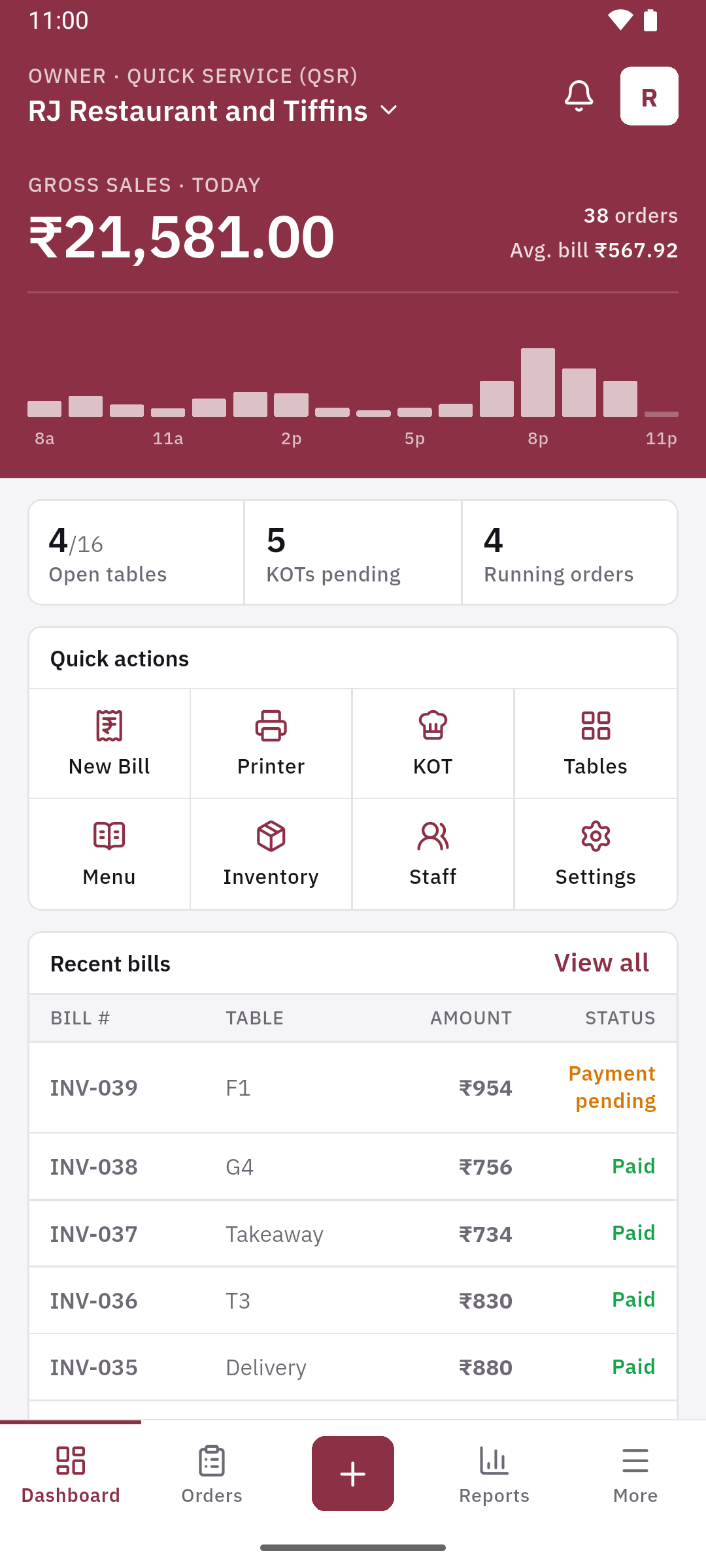
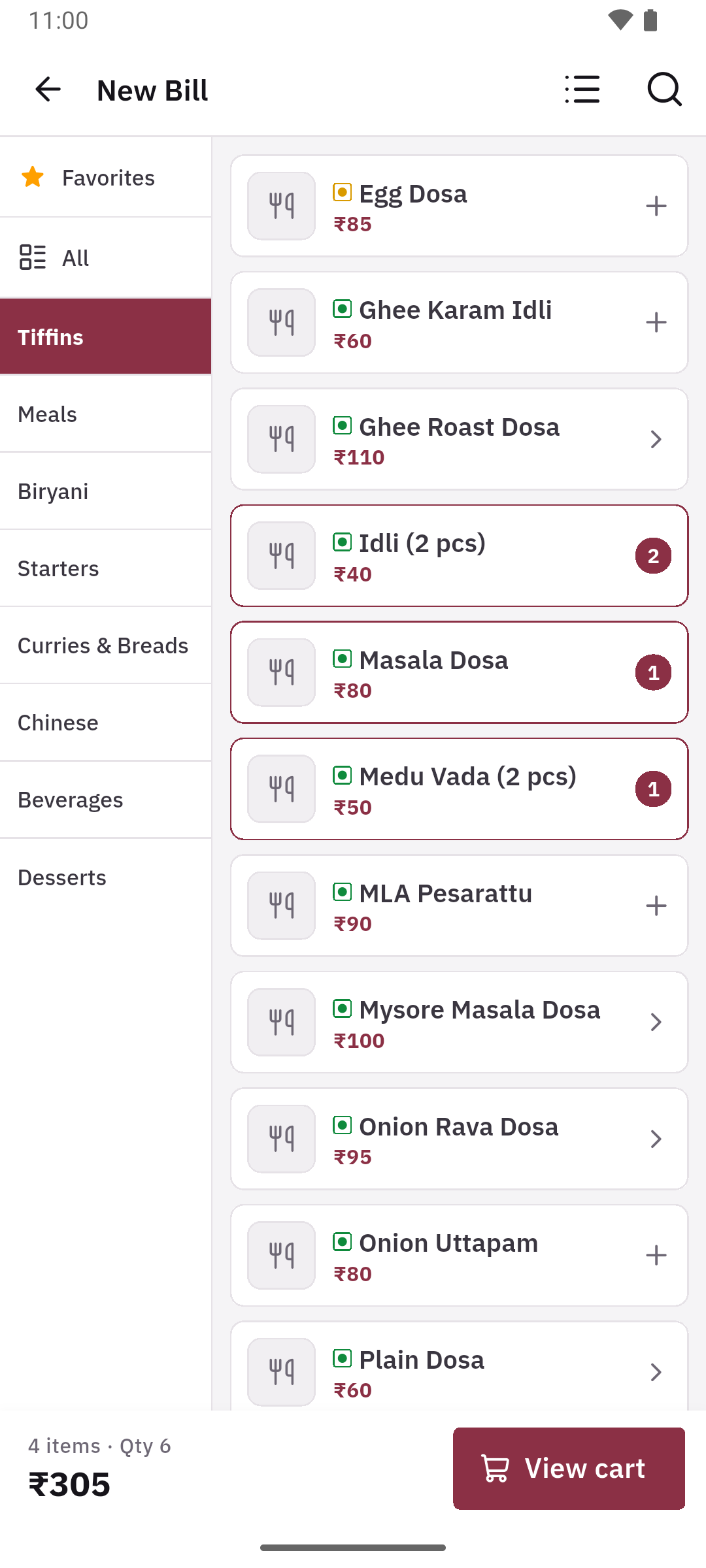
Pick a task. See the screen you’ll use to get it done.
Find dishes by category, favourites or search. Choose variants and add-ons without slowing down the order.
Keep the counter, kitchen and accounts working from the same records.
Build an order, make changes and settle the bill without holding up service.
Send the right order to the right station, and keep the floor moving.
Understand what goes into each dish and what is left on the shelf.
Keep your sales, expenses and customer credit organised through the day.
Keep billing, creating KOTs and recording stock changes offline. DineBill syncs your work when you're connected again.
Android phones and tablets. 58 mm and 80 mm thermal printers over Bluetooth, USB or Wi-Fi/LAN.
Separate logins for managers, cashiers, captains and kitchen staff, with access you control.
Manage multiple restaurants from one account and transfer stock between outlets.
Set up the essentials, then bring the rest of your team on board.
Sign in with your mobile number and set up your restaurant details.
Add categories, dishes and variants. Set up your tables and kitchen stations.
Take orders, send KOTs and print bills. Invite your team as you go.
Yes. You can keep billing and creating KOTs offline. Your bills and stock changes sync to the cloud when the connection returns.
Yes. Set GST inclusive or exclusive taxes per dish and add your GSTIN and business details to your receipts.
DineBill supports 58 mm and 80 mm thermal printers through Bluetooth, USB and Wi-Fi/LAN. Contact support if you need help with your particular printer.
Yes. Invite managers, cashiers, captains and kitchen staff with their own login, and control what each person can see and do.
Yes. You can manage multiple restaurants or outlets from one account and transfer stock between your outlets.
Open DineBill to set up your restaurant. Need a hand? We’re here to help.